How to save all your open tabs in Chrome
October 2026 · 4 min read
Short answer: press Ctrl+Shift+D (⌘+Shift+D on a Mac) and Chrome bookmarks every tab in the window into one new folder. To keep them with notes, find one later and have them on your other computers, save them to a board in a tab manager such as TabCabin.
1. Bookmark every tab at once
Chrome can put all the tabs of a window into one bookmarks folder.
- Press Ctrl+Shift+D, or open the ⋮ menu → Bookmarks and lists → Bookmark all tabs.
- Name the folder, for example with today's date, and press Save.
- To get them back, right-click the folder in the bookmarks bar or the bookmark manager and choose Open all.
Good for a quick backup before you close a window. Less good for finding one tab later: a folder of forty titles has no notes and no order.
2. Save a tab group
Tab groups keep related tabs together in the tab strip. Right-click the group's name and save it: Chrome keeps the group after you close it, and you can open it again from the bookmarks bar.
Good for a few groups you reopen often. A saved group lives only in Chrome and is still a row of tabs, with no notes or to-dos.
3. Let Chrome reopen them after a restart
In Settings → On start-up, choose Continue where you left off, and Chrome opens your last windows when it starts. Ctrl+Shift+T brings back the tab or window you closed last, and History → Recently closed shows the rest.
The tabs stay open, though, which is where we started.
4. Save them to a board with TabCabin
TabCabin is a free, open-source extension that turns the new tab page into boards of tabs, links, notes and to-dos. Saved tabs become cards you can drag into groups, find with search and close without a second thought.
- Get TabCabin for Chrome, Edge or Brave and open a new tab.
- In the tabs panel on the left, open Save all tabs and choose Save all into a new group, or into a group you already have.
- To clear a whole window, choose Save as one group and close. The tabs become one group, “Window from” and the date, and the window closes.
- For one page, Ctrl+Shift+S saves it with a note and Alt+Shift+S puts it in the Inbox to sort later.
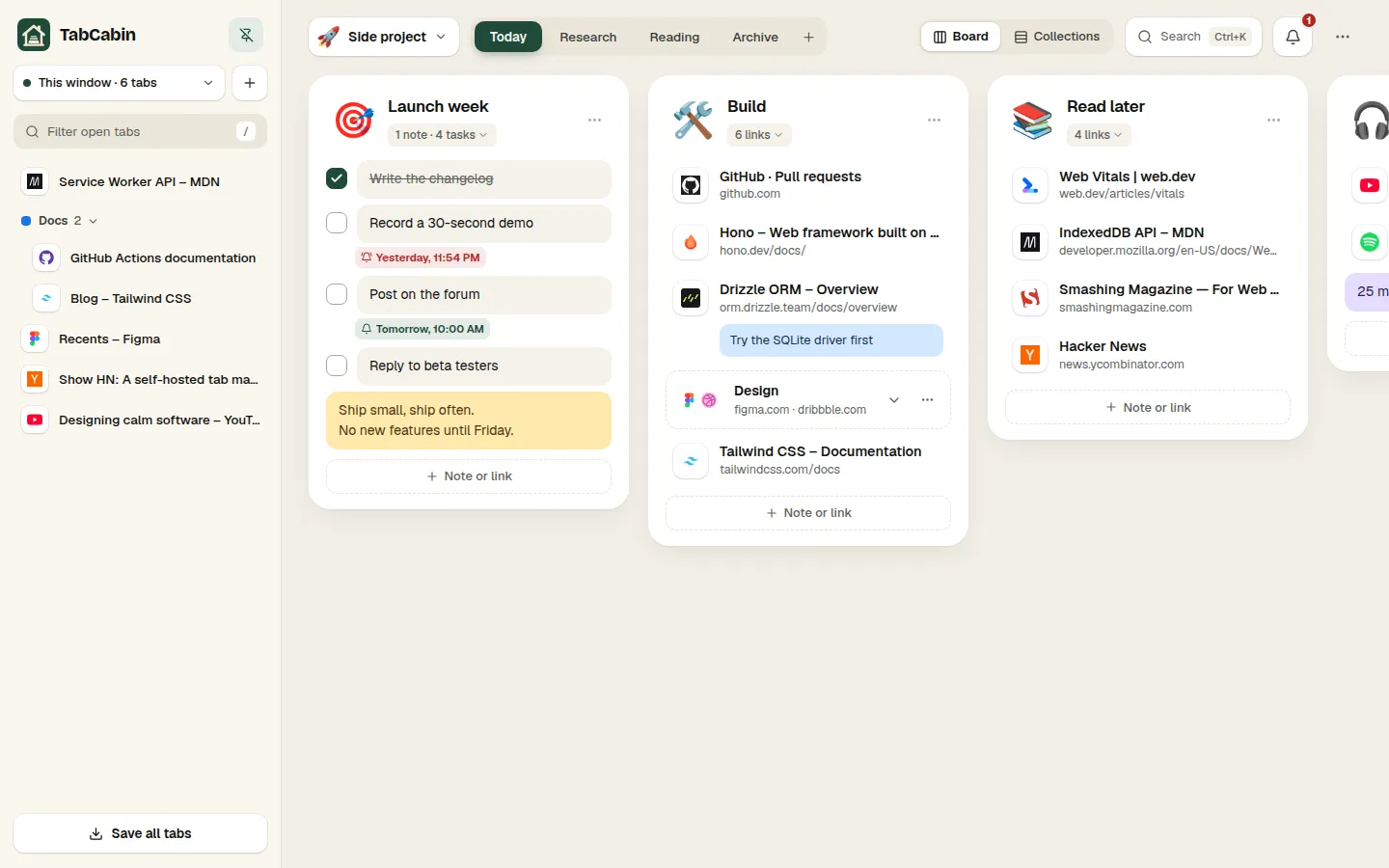
Everything stays in your browser and works offline. Sign in when you want the same boards on your other computers.
Which one to pick
Bookmarks folder
- Notes and to-dos
- No
- Find one tab later
- Bookmark search
- Other computers
- With Chrome sync
Saved tab group
- Notes and to-dos
- No
- Find one tab later
- Open the group and look
- Other computers
- With Chrome sync
TabCabin board
- Notes and to-dos
- Yes
- Find one tab later
- Search across every board
- Other computers
- When you sign in
Questions
Can I save the tabs of every window at once?
Bookmark all tabs saves the window you are in. In TabCabin the tabs panel lists every window, so you can save each one as its own group.
Do saved tabs still use memory?
No. A bookmark or a card on a board is only an address, so closing the tab frees its memory.
Can I bring my tabs over from OneTab or Toby?
Yes. TabCabin imports OneTab lists, Toby exports and bookmark files from any browser. Step by step: moving from OneTab and from Toby.